Resurrecting a SuperMicro E300…
Hi Извънземен,
Back in the days, I had bought a Supermicro SYS-E300-9D-4CN8TP system – That system had proven to be a neat piece of kit, with plenty of on board Ethernet connections etc. Although clearly that pal was way too loud for my targeted desktop/room environment…
Hence, that system ended up in its original box and laid on a shelf for years… Until Ramageddon hit us all =] After empirical thermal testing, a case swap to Lian Li B4 dropped idle temps to 50°C, delivered total silence and cool operation under full load. Here’s the complete journey.
📖 Table of Contents#
- The Issue
- Experimental Methodology
- Thermal Data Trail
- The Solution: B4 Migration
- Bill of Materials
- Wiring & Assembly Notes
- Final Results
- Migration Notes
The Issue#
Hardware: Supermicro SYS-E300-9D-4CN8TP (X11SDV-4C-TP8F motherboard + Xeon D-2123IT 60W SoC)
Symptoms:
- CPU temperatures at 81°C at ~30% CPU usage
- PCH temperature at 86°C+
- All fans screaming - FAN1 @5200 RPM / FAN2 @5300 RPM / FANB @8600 RPM – using the Power Utilization Effectiveness BIOS profile
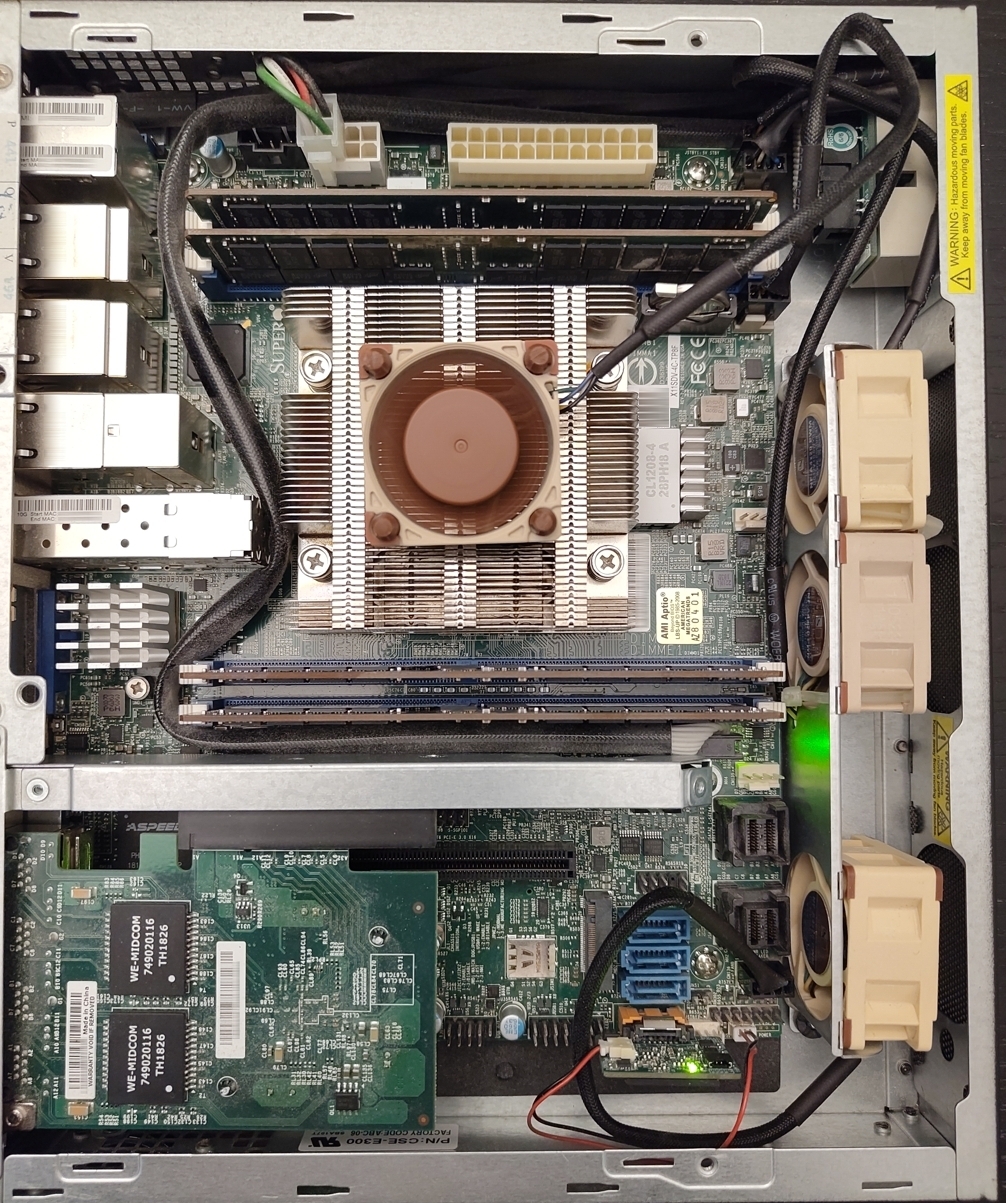
Root Cause: The SCE300 1U-short chassis funnels air in a straight line past components without forcing it through the passive heatsink. Volume of airflow ≠ effective airflow through the heat exchanger. A view of the original system running with 3× Noctua A4x20 (which is a failure LID close) + 1x Noctua A4x20 on CPU heatsink for experiments (here blowing up for testings - avoid it).
Experimental Methodology#
Rather than guessing, controlled experiments isolated variables:
| Test | Configuration | CPU Temp (Load) | Finding |
|---|---|---|---|
| 1 | Lid ON + 4× Noctua A4x20 | 92°C+ climbing | ❌ Chassis airflow blocked heat removal |
| 2 | Lid OFF + fan on heatsink | 63°C | ✅ Direct airflow through fins = cooling |
| 3 | Lid OFF + no fan on sink | 75°C | ⚠️ Case openness helps, but heatsink needs directed airflow |
| 4 | Lid ON + fan misaimed | 75°C | ⚠️ Misdirected fan = decorative (faint thermal contribution) |
Key Insight: A running fan that doesn’t push air through the fin stack contributes zero thermal benefit. Aim > volume.
Thermal Data Trail#
| Phase | Idle | Load (4 cores) | Fans @ Load | Verdict |
|---|---|---|---|---|
| E300 (closed) | 75°C | 92°C+ | 5000+ RPM all | 🔴 Throttling imminent |
| E300 (open lid) | 40°C | 63°C | 5000+ RPM | 🟡 Usable, noisy |
| B4 (A4x20 stand-in) | 43°C | 75°C | 1000–4600 RPM | 🟢 Silent, cool |
| B4 (projected A6x25) | 43°C | ~65°C | <1000 RPM | 🟢 Perfect |
The Solution: B4 Migration#
Case Swap Rationale:
- Flex ATX board fits any mATX case
- 162mm+ cooler clearance vs ~40mm stock sink = headroom
- Unrestricted airflow path vs E300’s choked channel
- 3× bottom intakes + 2× top exhausts vs 40mm screamers
Build Decision:
- Keep original 150W AC adapter
- Feed JPV1 (8-pin 12V DC) directly, bypassing ATX PSU
- External PSU brick = zero internal heat dump
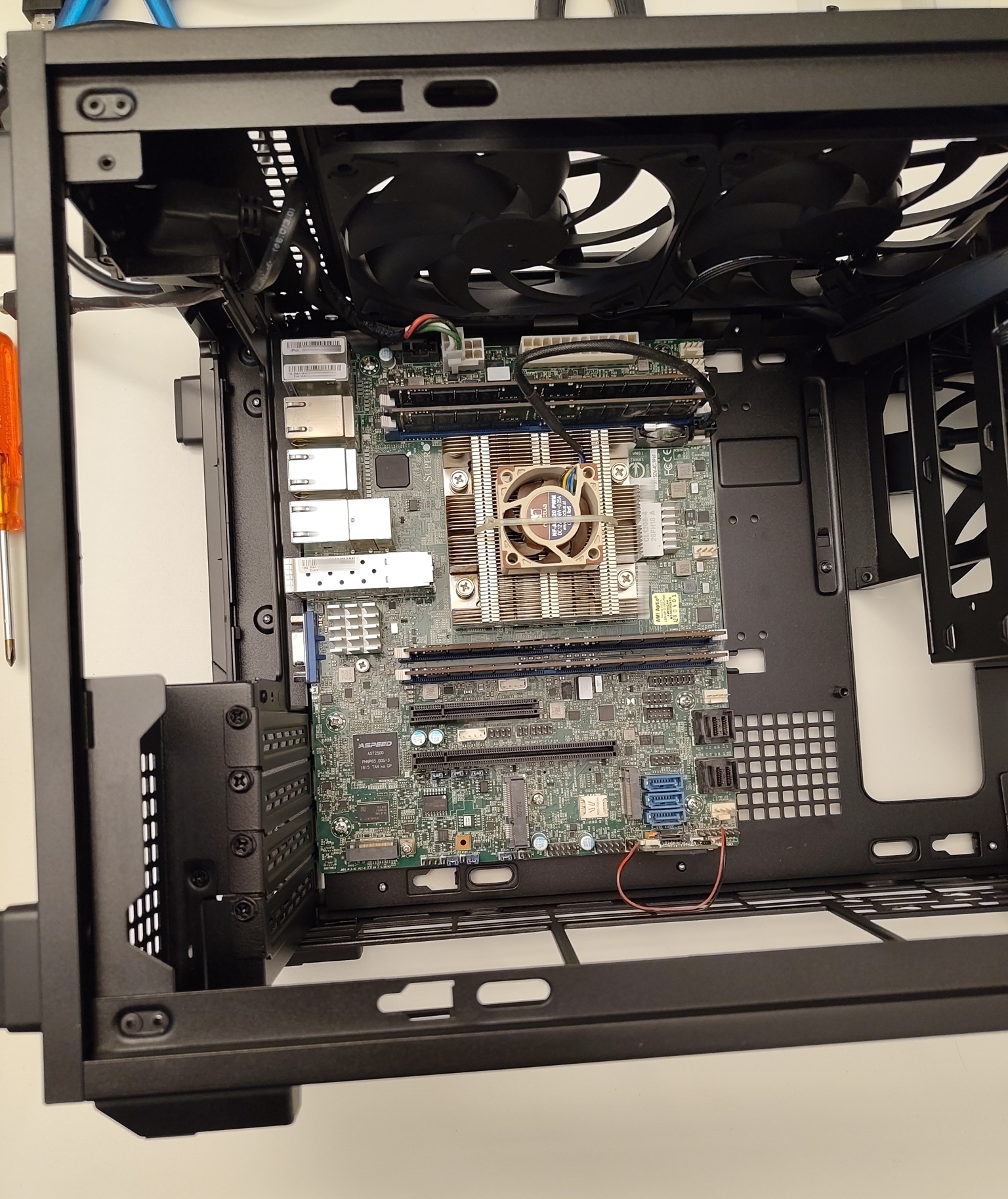
Early migration/transplanting operations…
Bill of Materials#
| Item | Qty | Purpose |
|---|---|---|
| Lian Li B4-mATX (Wood Edition) | 1 | New chassis, unrestricted airflow |
| Noctua NF-A6x25 PWM | 1 | CPU heatsink fan on sink |
| Noctua NF-A12x25 PWM | 3 | Bottom intake fans (3× ~30) |
| Dupont 20cm M-F Jumpers | 2×20pk | JF1 front-panel wiring |
| CR2032 CMOS Battery | 1 | Fix VBAT failure |
Wiring & Assembly Notes#
Front Panel (JF1) Conversion#
The B4’s 4-pin F_PANEL block doesn’t match Supermicro’s 20-pin JF1 header. I simply connected the Dupont jumpers straight from the B4’s 4-pin F_PANEL block to JF1 (pins 1–2). If I remember correctly, the B4’s 4-pin F_PANEL is only wired with two wires, the Power Button wires indeed.
Power Entry via PCIe Slot#
Rather than cutting the case:
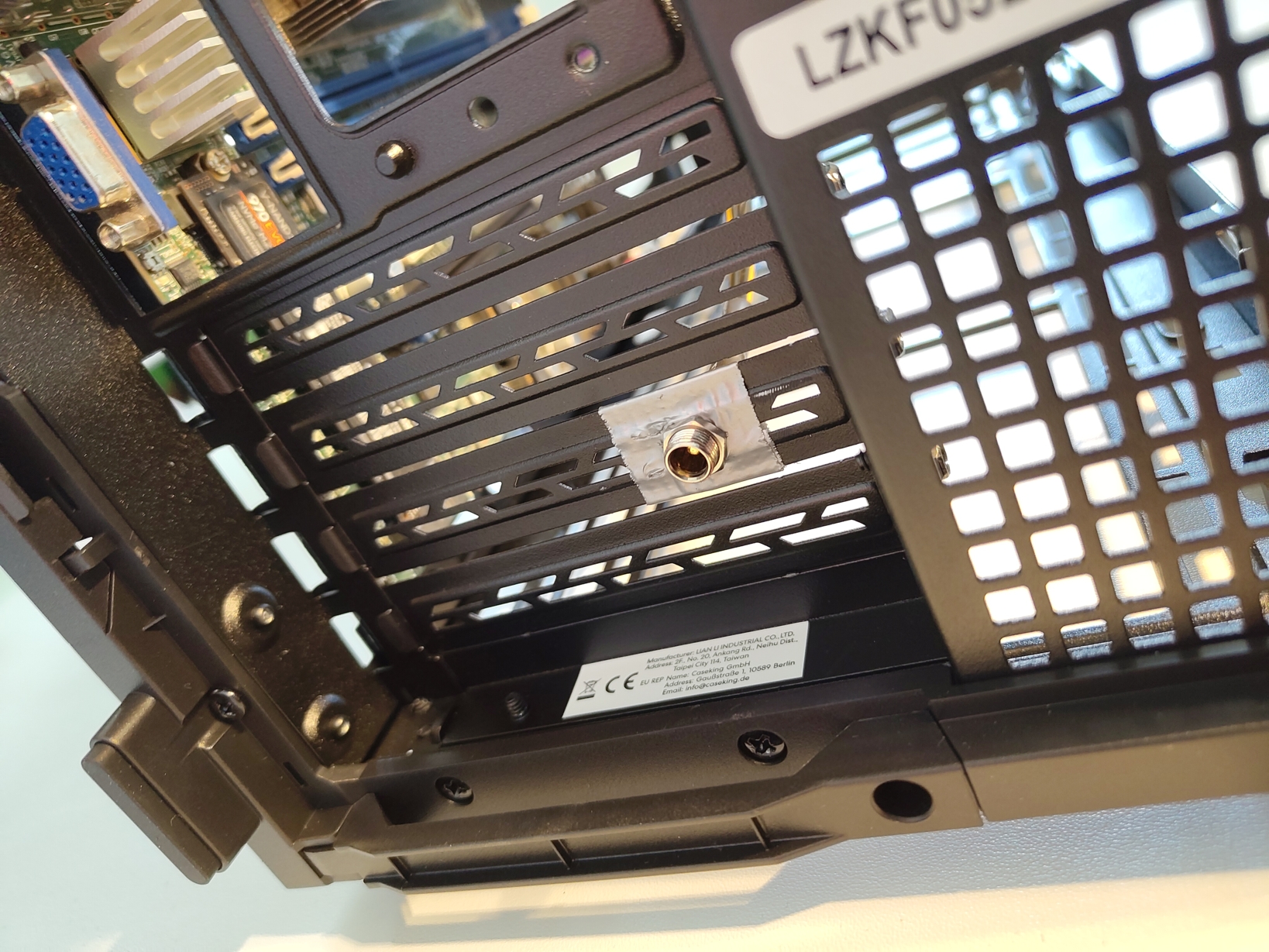
- Route DC cable through empty PCIe slot opening (Mobo has only two PCI slots)
- Secure with tape/foil to seal gap
- Connect to JPV1 (requires removing top fan bracket for access)
- External brick stays outside → no internal heat
I kept the original external PSU brick, my wiring solution…
Fan Assignment#
| Fan Position | Hardware | PWM Header |
|---|---|---|
| Bottom ×2 | NF-A12x25 PWM | FANA–FAN3 |
| Rear ×1 | NF-A12x25 PWM | FAN2 |
| Top ×2 (stock) | Slim 120mm exhaust | FAN1 |
| CPU Sink | NF-A4x20 PWM | FAN1 (choose CPU zone header/blowing down) |
Fan curve: IPMI “Fan to Standard Speed” mode or manual raw commands for RPM tuning.
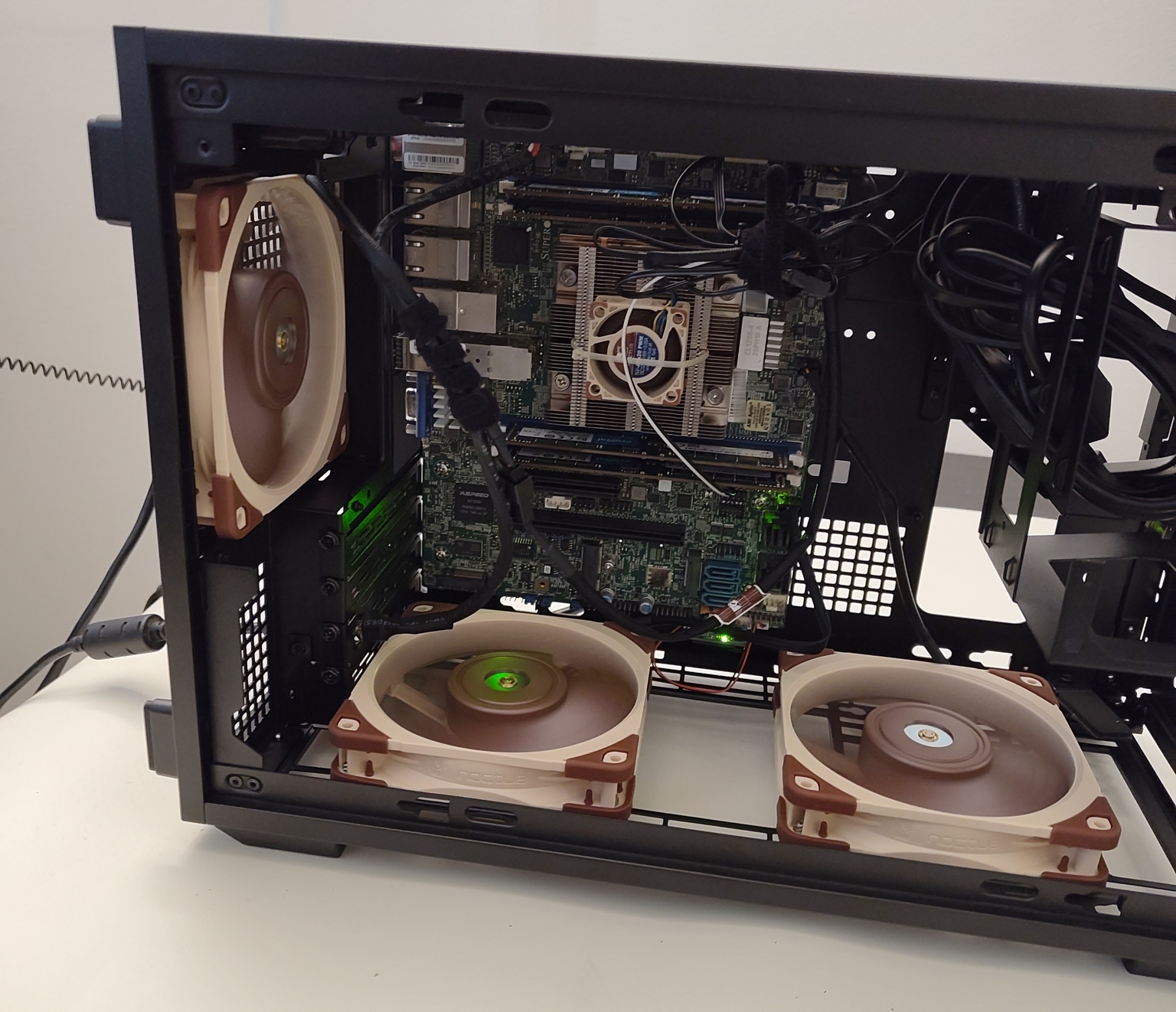
Case Top Fans: I did invert the blowing direction of the 2nd TOP fan as recommended in the B4’s user manual.
Near final migration/transplanting operations…
Final Results#
Thermal Performance#
| Metric | Before (E300) | After (B4) | Delta |
|---|---|---|---|
| Idle CPU Temp | 75°C | 43°C | –32°C |
| Load CPU Temp (8 cores) | 92°C+ | 58–61°C | –31°C |
| Idle PCH Temp | 79°C | 47°C | –32°C |
| Fan Noise @ Load | 5000+ RPM | ~1000–2600 RPM | Inaudible |
Operational Notes#
- ✅ All sensors report “Normal” status
- ✅ No thermal throttling under sustained load
- ✅ Full 4-core stress test completed successfully
Stress test used (on PVE | pve-manager/9.2.20/49318c671b82f31e (running kernel: 7.0.14-19-pve)):
apt update && apt install stress-ng
stress-ng --cpu 4 --cpu-method matrixprod --metrics-brief --timeout 300s
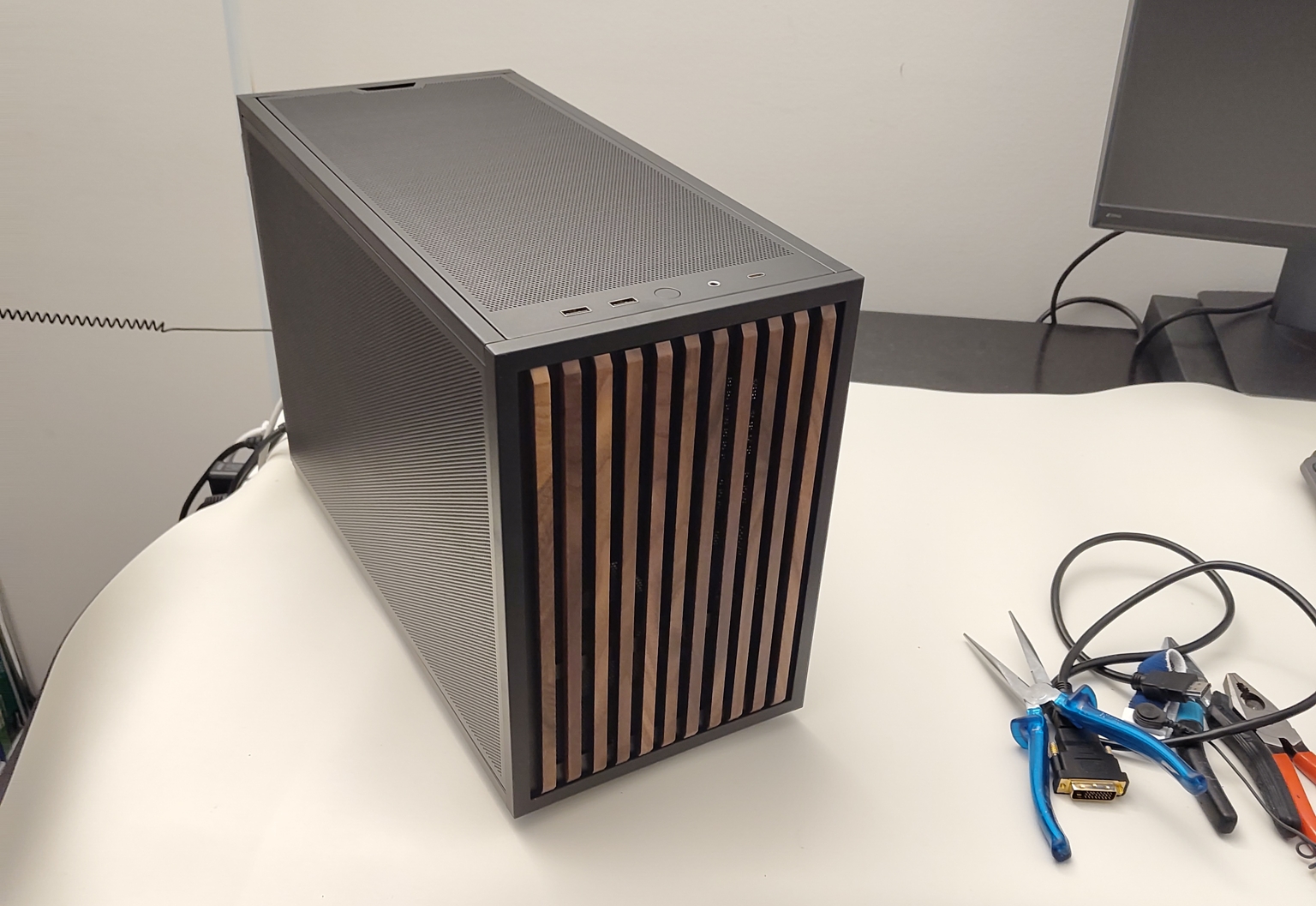
Migration/transplanting operations done…
Migration Notes#
Third fan slot:
- B4 bottom mount may conflict with DOM modules
- Workaround: Use rear 2.5" mount or the front fan available slot (thinner)
USB front panel:
- B4 USB 3.0 cable has no matching header on TP8F (ports are rear I/O only)
- Optional: Add PCIe USB 3.0 controller with internal header
- Verdict: Skip for headless PVE hosts
Power LED:
- B4 has no power LED
- IPMI + network/mobo LEDs provide all necessary visibility for headless ops
Takeaways#
- Direct airflow through the fin stack beats ambient washing. Aim matters more than quantity.
- Small cases can run quiet if airflow paths aren’t choked. The B4’s unrestricted intake/exhaust solved the E300’s thermal chokehold.
- External power adapters are underrated. Zero waste heat dumped into a 21L case.
- Experimental rigor pays off. Control groups, isolate variables, document deltas — the data tells the truth.
- Vintage server boards deserve second lives. A 60W Xeon D + 125 GiB RAM for roughly CHF ~200 total is incredible homelab value.
What’s Next#
Expansion options:
- Add 2.5" SATA drive via JPH1 + floppy→SATA adapter
- Install Samsung 990 EVO Plus 2TB NVMe (PCIe 3.0-limited, but more than adequate)
- re-seat previously hosted PCI expansion board (not really needed though better in there then on some shelves)
- Opportunistically hunt for the I/O shield for the X11SDV-4C-TP8F - part number = MCP-260-00098-0N
Build completed September 2026. D-2123IT idle: 43°C. Load: 58–61°C. Silence achieved.